Creating the form
Uvjet dovršenosti
Creating the form
Creating the form
To create the survey form, we will use JotForm. To use this service, you need to get a free account. Now we will create the form by clicking on the Create Form button:
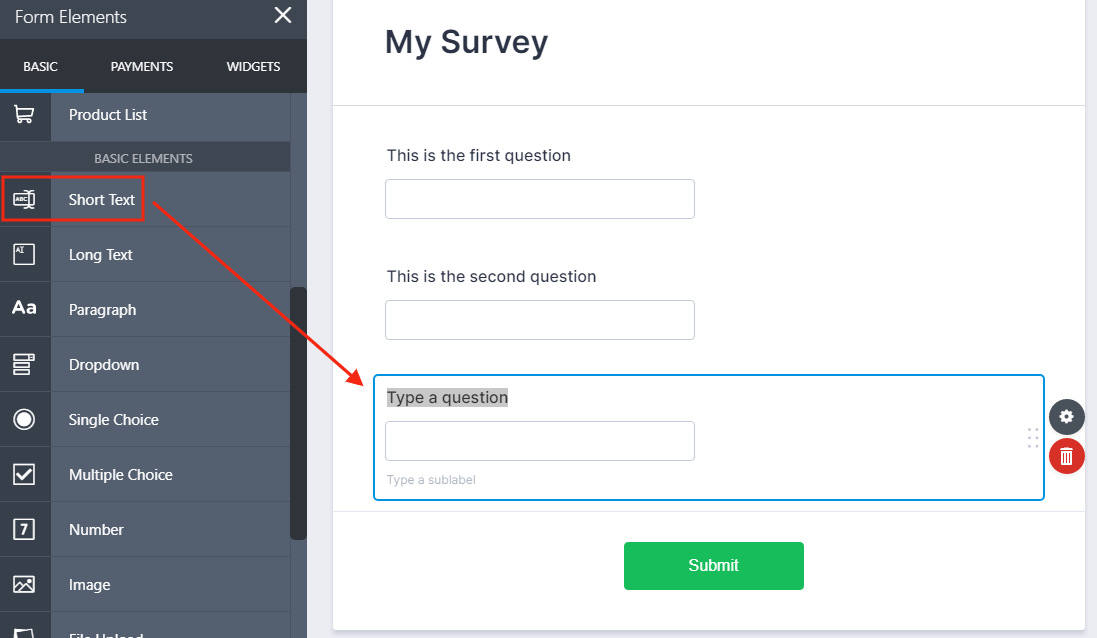
From the left menu, drag the Short Text field and drop it into the form editor area. Repeat this action for every field of the survey form:
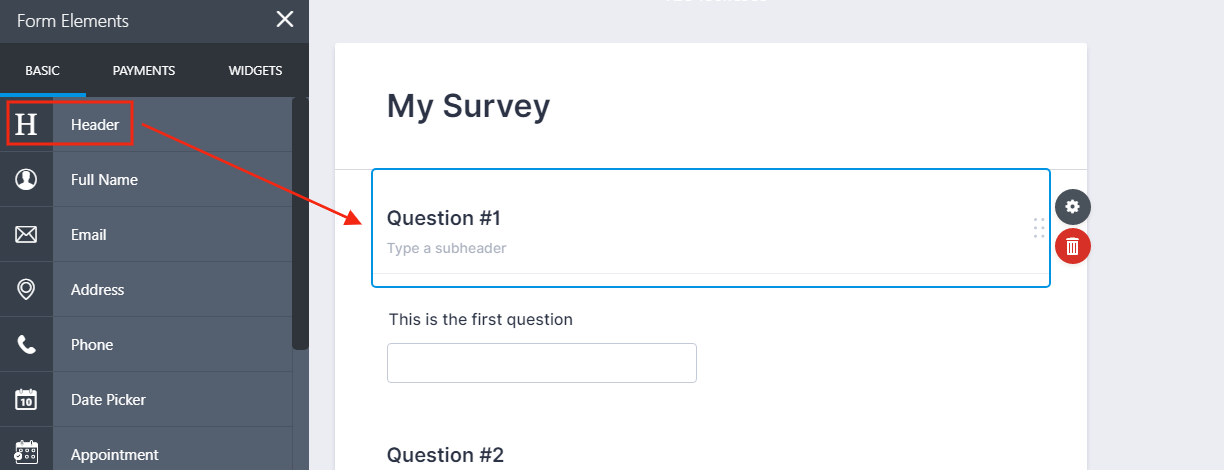
Drag the Header form element into the editor. Use this element for every question description:
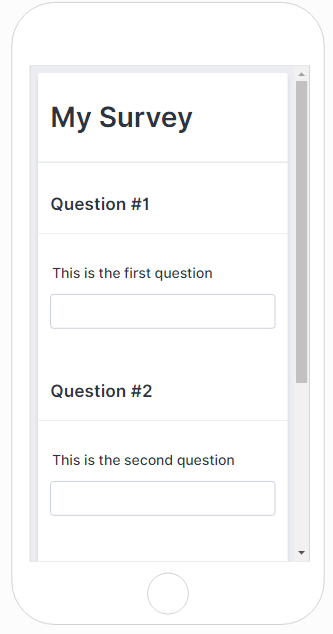
For this lab, the survey form will contain three sample questions only. When we finish the design, the form is ready to use: