Code analysis
Code analysis
Let's analyse the code

The include command loads the libraries required for sensor operation.ArduinoHttpClient library allows Arduino to interact with web servers using HTTP and WebSocket. The WiFi101 library provides a connection to the Internet wirelessly and with cryptographic authentication.

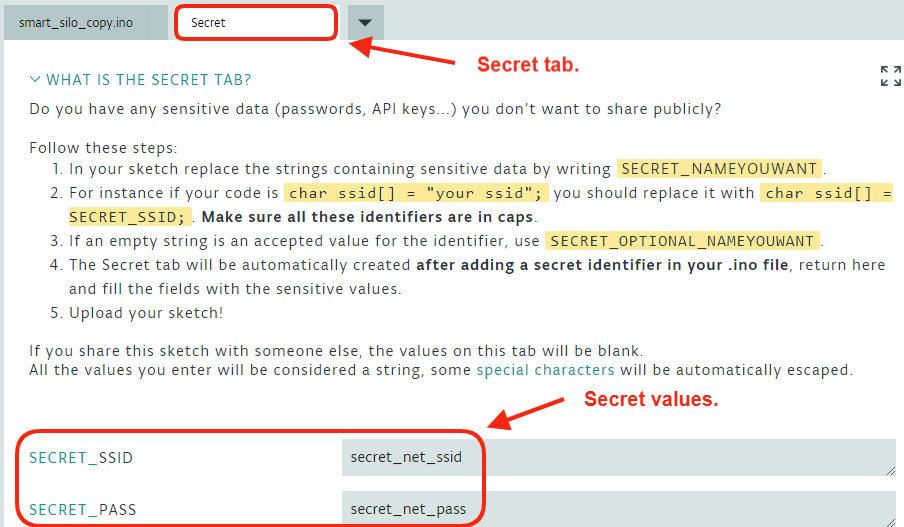
Lined 13 and 14 refer to private information: the network identification and the access password. For that reason, SECRET_SSID and SECRET_PASS variables are set into a secret tab (you should write the command #include "arduino_secrets.h" in line 10; the command will hide immediately after written). Then you should define variables values into the secret tab:
At this point, let’s introduce dweet.io, a free messaging and alerts service for the Internet of Things. Dweet.io allows you to easily publish and subscribe to data without any setup or sign-up.

Line 16 assigns the server address (that’s the dweet service address) to serverAddress, and, in the following line, we set 80 to the variable port (port 80 is the one used for web browsing).

Line 19 creates a client that can connect to the specified Internet address and port. Lines 20 and 21 define client object and store the Wifi radio's status in the status variable.

Lines 23 and 24 define digital pins 11 and 12 to echoPin and trigPin, respectively. Variables duration and distance are defined in lines 27 and 28.
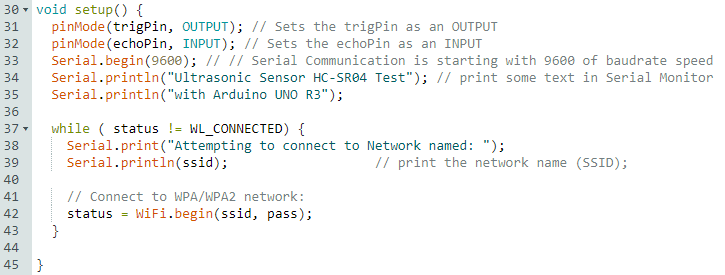
Line 31 sets pin 12 (trigPin) to behave as an output channel, and line 32 sets pin 11 (echoPin) to act as an input channel. After setting the data rate for serial data transmission (line 33), we try to establish a successful connection to the WiFi network (starting line 37).
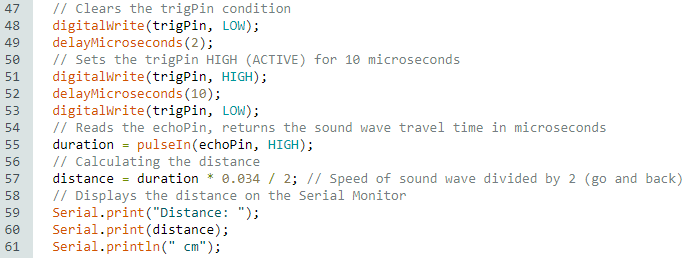
After clearing pin 12 (line 48), line 51 sets the same pin to a high value for ten microseconds, and line 53 clears the pin again.
In line 55, we read the value from digital pin 11 (echoPin) and store it in the variable duration. In line 57, we calculate the distance as the product between duration and the sound speed, divided by two (because to receive the value, the sound needs to go and back). Then, we send the result to the serial port (lines 59 to 61).

These lines assemble the path for the POST message that will post the sensor value to the dweet.io service.[1]
Dweet.io requires each published service to have a unique name. This avoids confusion between the various published services. The best way to assign a unique name to our service is to generate a GUID (Global Unique Identifier) like the one assigned in line 65 to the variable dweetName.
A GUID is a 128-bit integer that is used to identify resources. We can generate our unique name with an online GUID generator.

These lines assemble the body of the POST message.

Finally, we send an announcement to the serial port and send the POST request to the service dweet.io. Line 80 defines a 60 seconds delay until the next sensor reading.
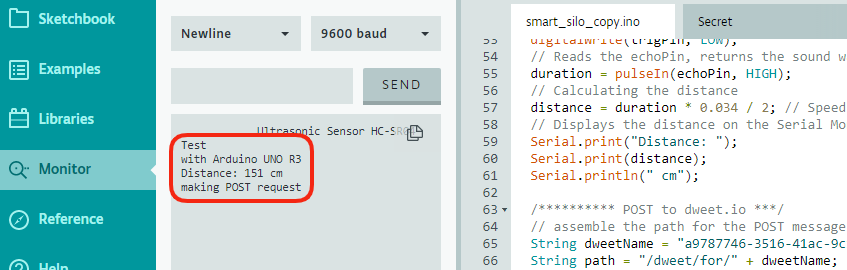
After the code is compiled and uploaded to the Arduino Uno WiFi board, the serial monitor starts displaying the activity.