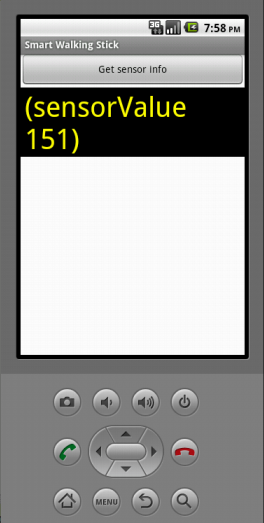
Sensor information from the smartphone
Sensor information from the smartphone
The smart silo is ready and sends ultrasonic sensor data to the dweet.io cloud every minute. Now we need to see the information from our Smartphone. The simplest way to do that is via de dweet URL using the GET method:
https://dweet.io/get/latest/dweet/for/a9787746-3516-41ac-9c12-e64bfd1efbe0
Note that the information after the last slash is the GUID we build for our sensor. The GET method will send back the following information:
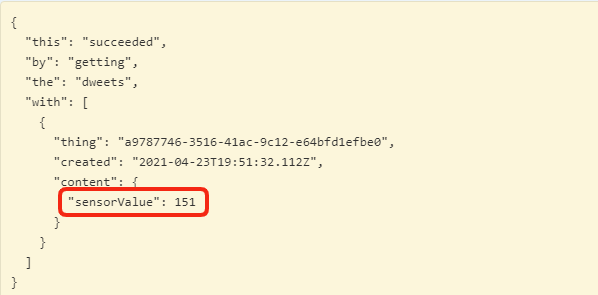
Another way to see the information is to build a simple application to check the sensor status from our Smartphone.

An excellent option to do that is the MIT App Inventor. Initially developed by Google, MIT App Inventor allows you to develop applications for Android devices using a web browser and a connected phone or an emulator. To use MIT App Inventor, you need to create a free account (you will need a Google account).
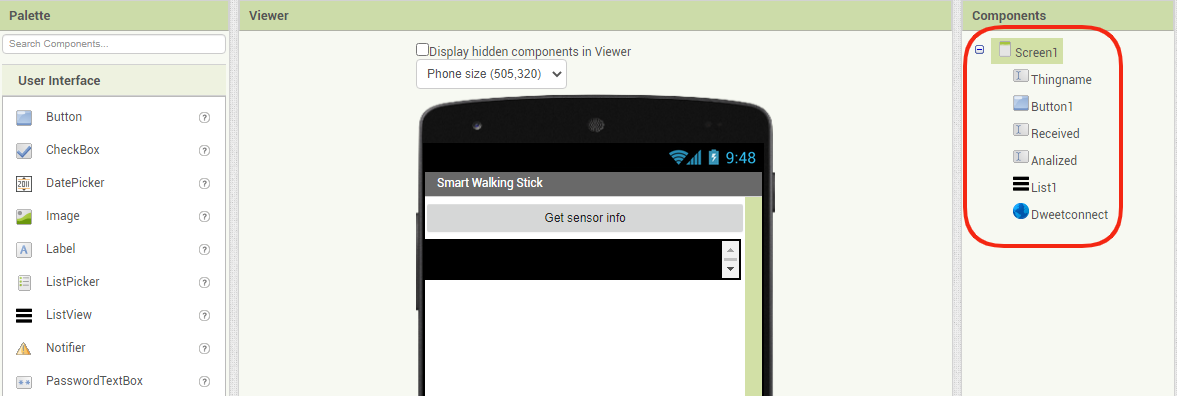
After starting a new project, you will need to add the components listed on the right side of the image (under the Help menu, there are excellent tutorials to learn and understand how to manage components):
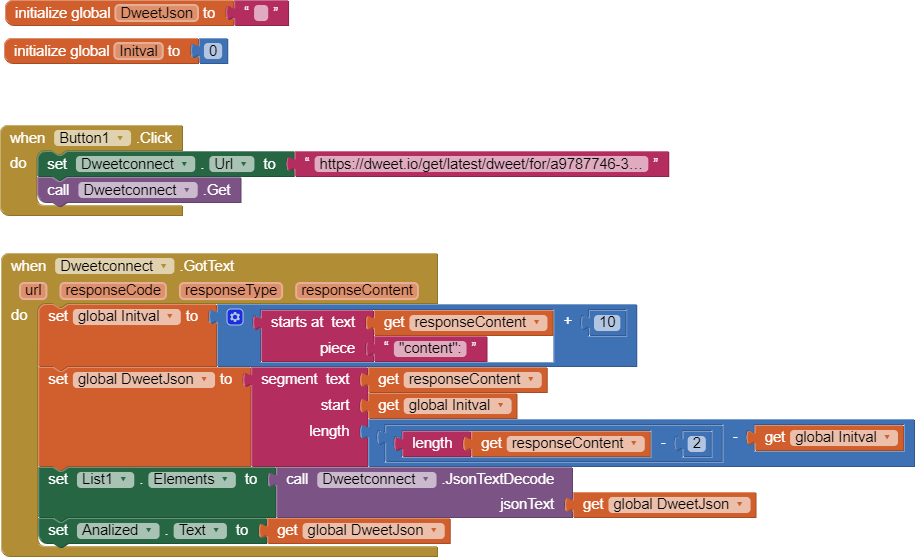
MIT App Inventor coding is made in a very intuitive manner through blocks. Below you will find the blocks needed to create an application able to read the sensor code from the Smartphone:
The code result is an application that allows you to read the information published in the dweet.io cloud by the Arduino Uno WiFi controller.