
Starting Cloud Storage
Starting Cloud Storage
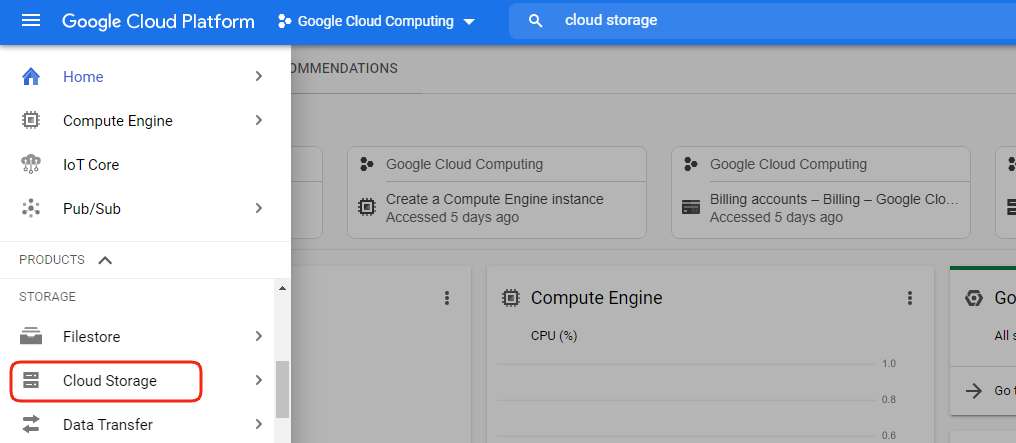
Let’s start opening Cloud Storage from the Google Cloud Platform console by clicking on the Cloud Storage option under the STORAGE group located in the left menu:
Creating a Bucket
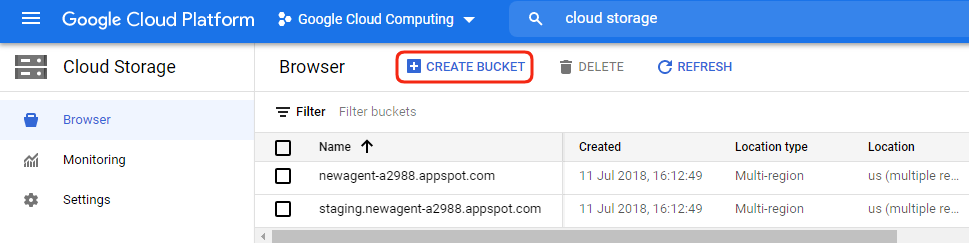
Now we are going to create a bucket ─a basic container that will hold the data─ by clicking on the CREATE BUCKET blue link:
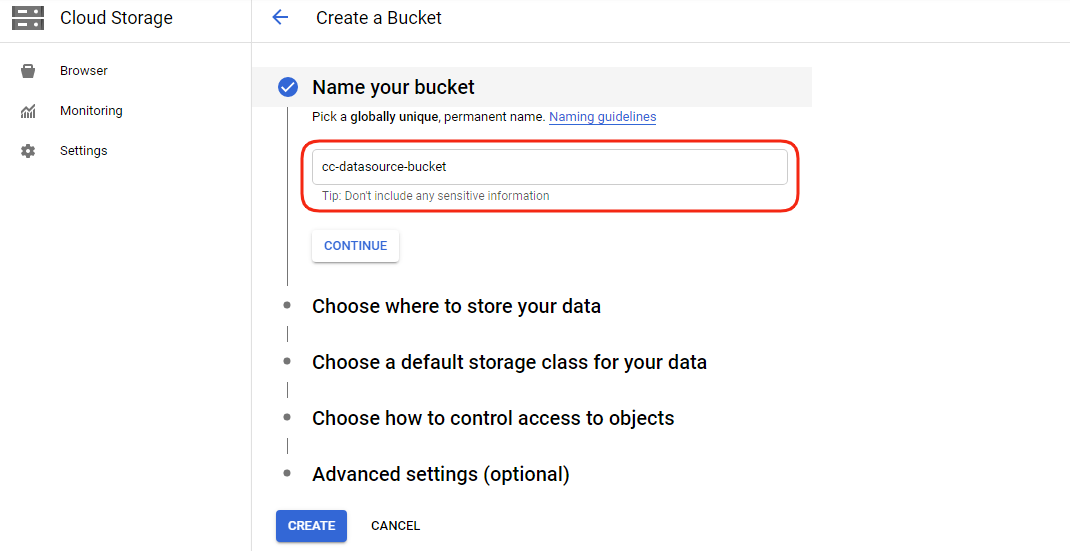
The bucket creation needs to follow four main steps. Every bucket resides in a single Cloud Storage namespace, so names must be globally unique. The first step, therefore, is to assign the unique name cc-datasource-bucket:
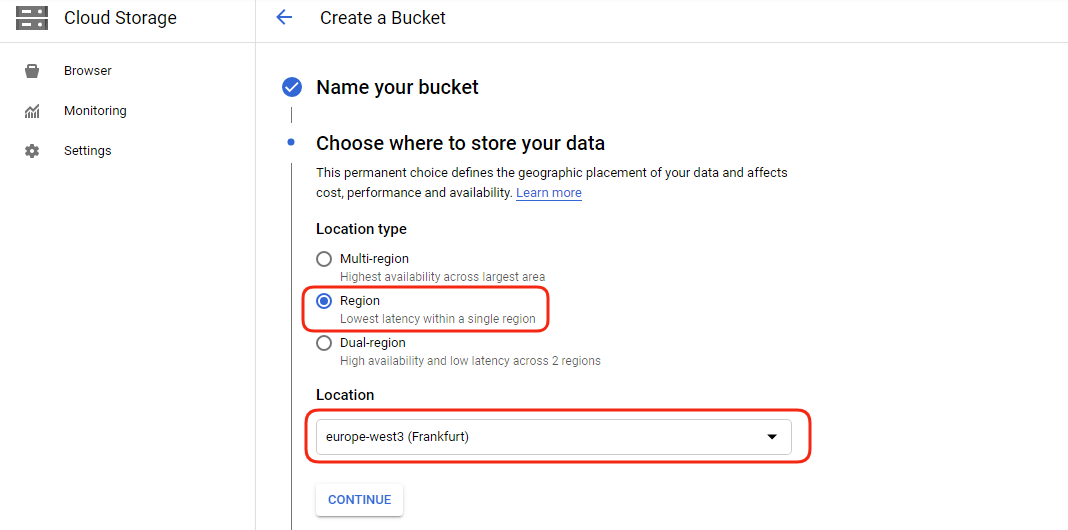
We need to define the place where the data is stored by selecting the region and the specific location. This choice is permanent and cannot be changed later:
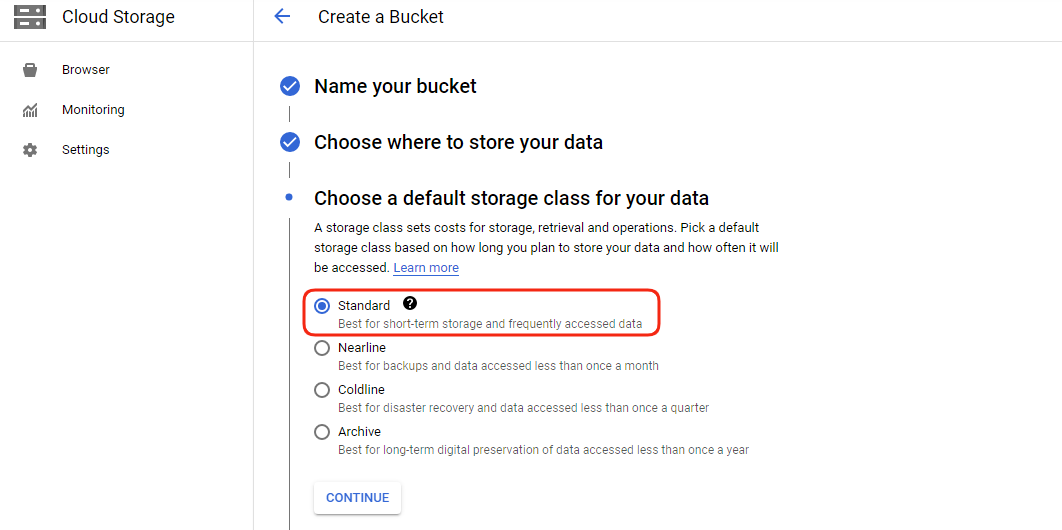
The third step is to choose the storage class. A standard class is designed to store data that will be accessed frequently. The other classes refer to a different kind of long time storage:
In the last step, we select the way we will control the access to the data objects. Select Uniform to define the same access control for all data objects:
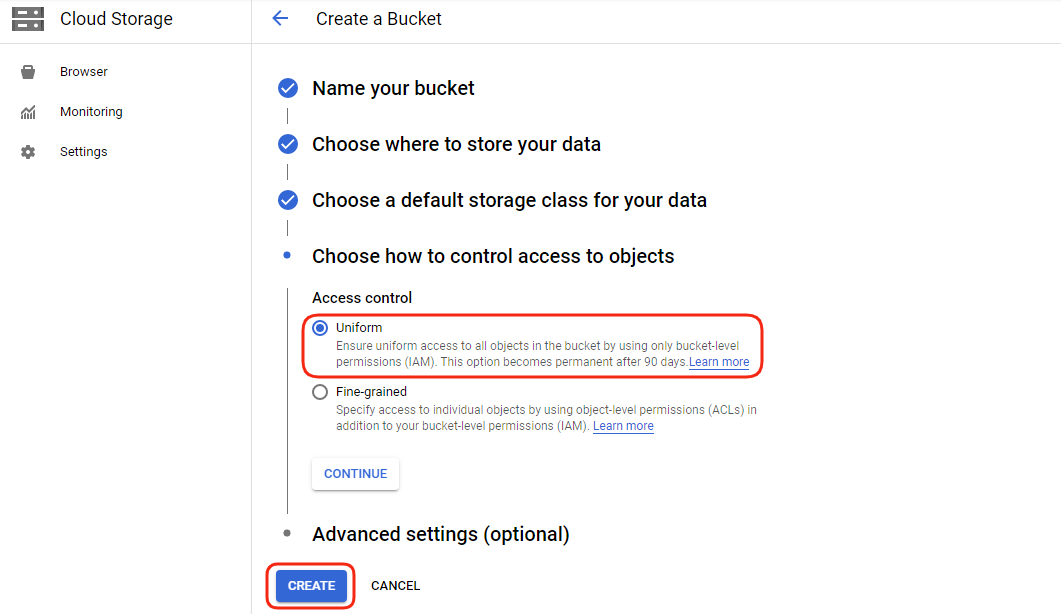
Finally, let’s click the CREATE blue button to create our bucket.