
Programming, compiling and uploading the code to Arduino
Programming, compiling and uploading the code to Arduino
For the operation of the MAX30102 sensor, we will use the libraries SparkFun MAX3010x Pulse and Proximity Sensor.
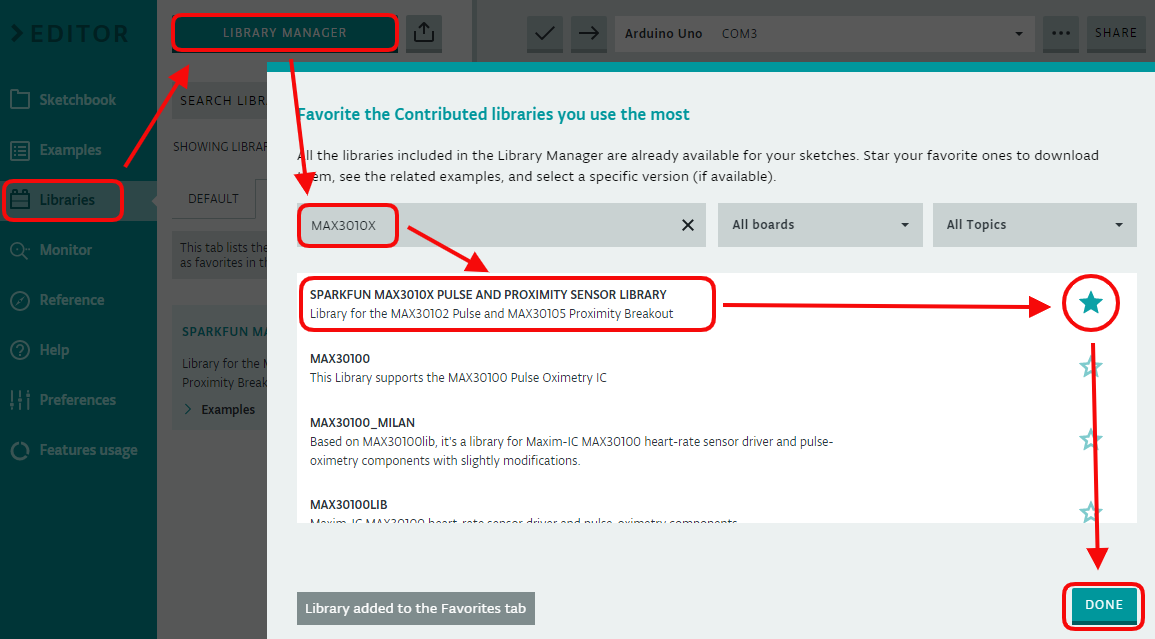
On the main screen of the Arduino Web Editor, click the LIBRARIES → LIBRARY MANAGER button. In the field SEARCH LIBRARY, we look for the character string MAX3010X to find the library SparkFun MAX3010x Pulse and Proximity Sensor. We mark the star icon to select the library as a favourite and click on the button DONE to save.
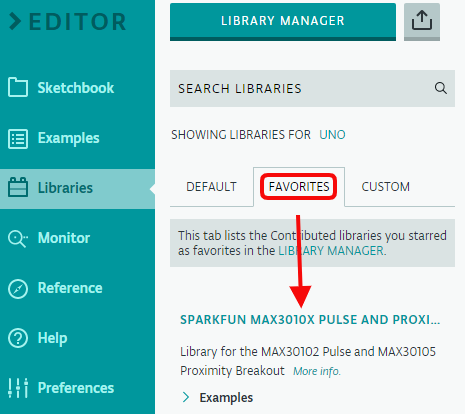
The built-in library is now available in the tab FAVORITES:
For this lab, we will use the example Example8_SPO2:
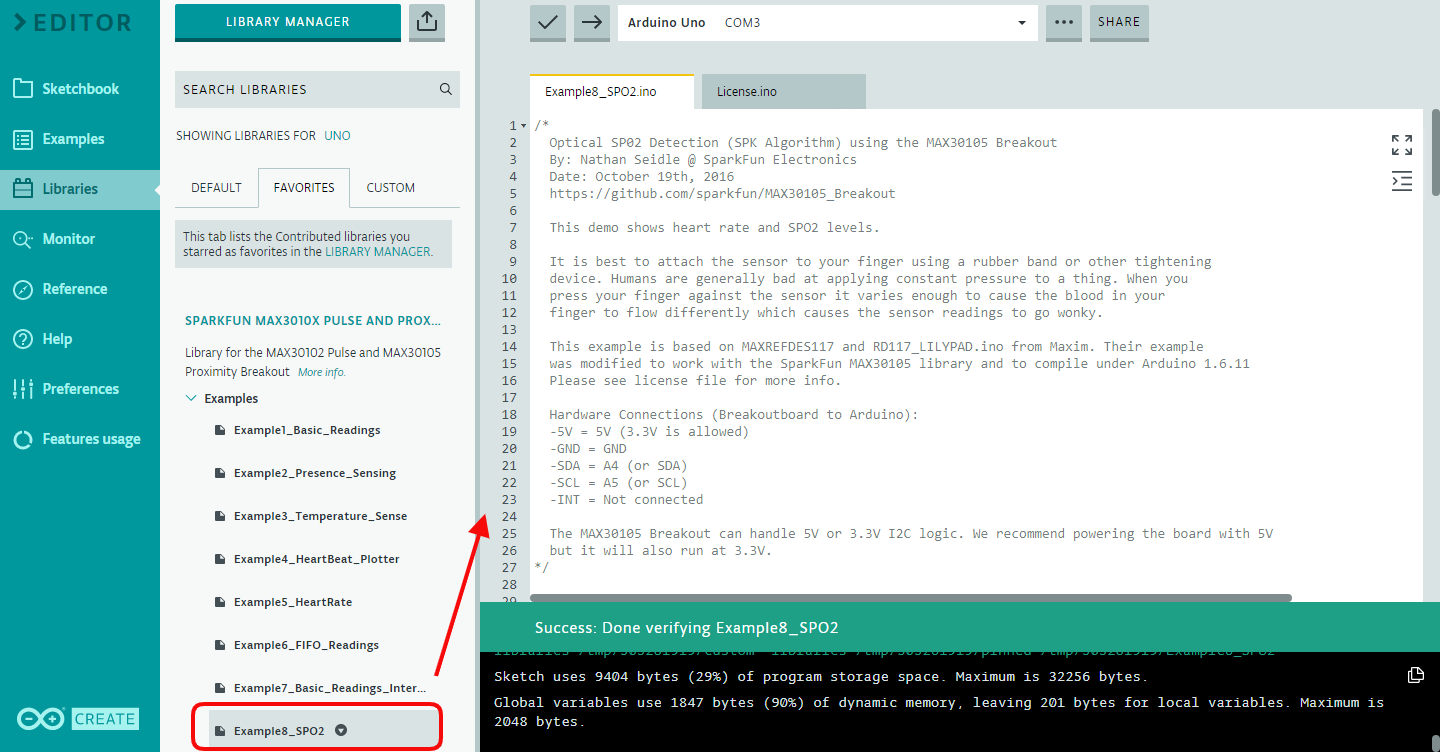
This code allows the Arduino Uno board to read the heart rate and oximetry levels when the finger (or wrist) is in contact with the infrared sensor (we will add some coding to the original code later to allow Arduino Uno communication with IFTTT).